实现步骤:
- 了解
magento2的事件和观察者。 - 创建模块
Magento2 的事件(Event):
Magento2 模块在特定操作的触发器上调度事件。不仅如此,Magent2 还允许用户自定义事件,并在代码中调度事件。触发事件操作时,Magento2 会将数据传递给为调度事件配置的观察者。
Magento2 中通过使用 Magento\Framework\Event\Manager 类来调度事件,并且可以通过在构造函数中定义依赖通过依赖注入来获取该对象。
Magento2 观察者:
Magento2 观察者用于捕捉从事件触发的动作。在观察者中,你可以设置要在响应中执行的功能或逻辑。
可以通过将类文件放在 Module_Root/Observer 目录下来创建 Magento2 观察者类。
观察者类应该实现如下内容:
- 实现
Magento\Framework\Event\ObserverInterface接口并实现execute()方法
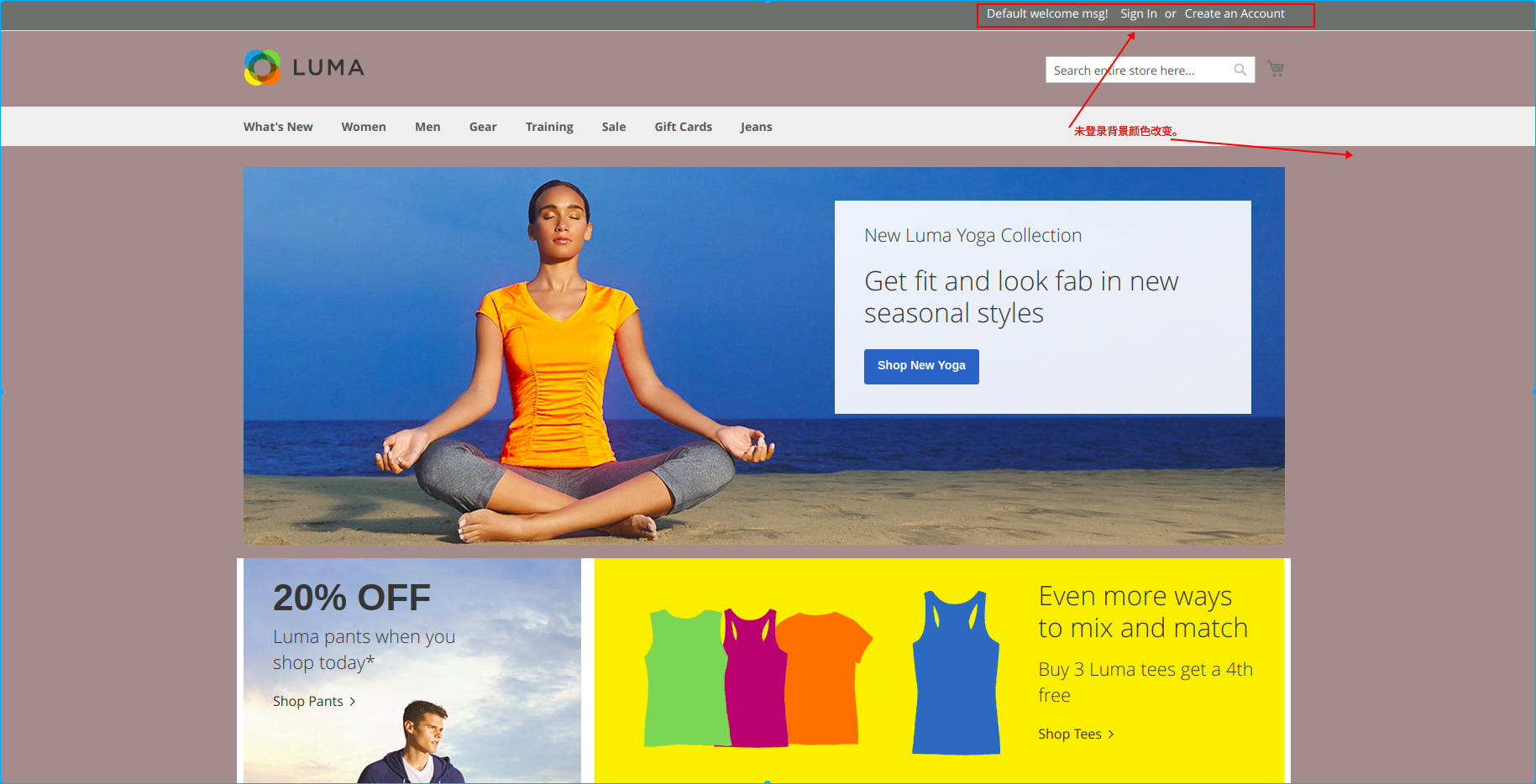
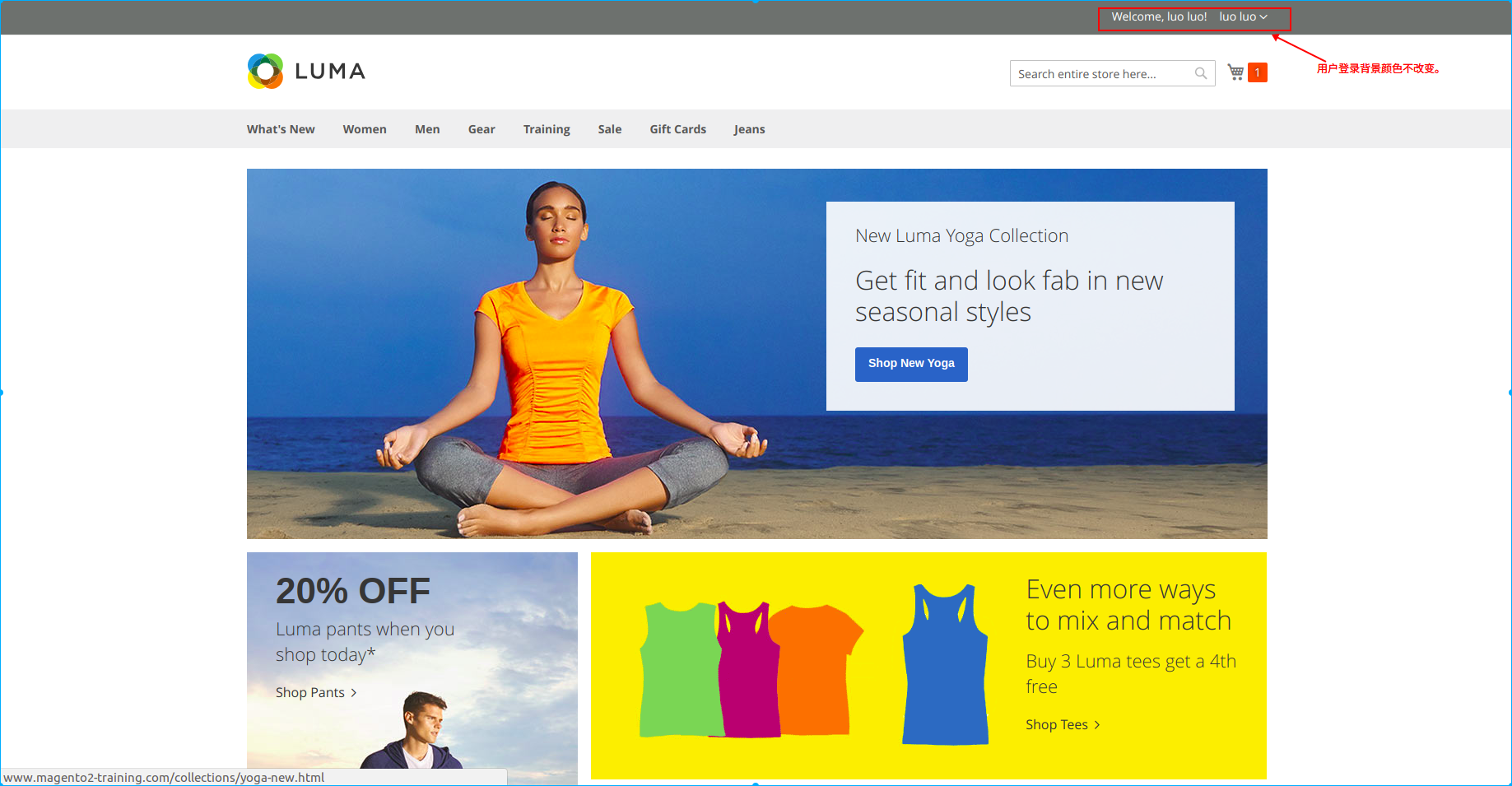
开始实现:如果用户没有登录,更改商店页面的背景颜色。
创建模块:
- 模块配置:
在 app/code/Test/Event/etc 目录中创建 module.xml 并添加如下内容:
<?xml version="1.0"?>
<config xmlns:xsi="http://www.w3.org/2001/XMLSchema-instance" xsi:noNamespaceSchemaLocation="urn:magento:framework:Module/etc/module.xsd">
    <module name="Test_Event" setup_version="0.0.1"/>
</config>
- 模块注册:
在 app/code/Test/Event 目录中创建 registration.php 并添加如下内容:
<?php
    \Magento\Framework\Component\ComponentRegistrar::register(
        \Magento\Framework\Component\ComponentRegistrar::MODULE,
        'Test_Event',
        __DIR__
    );
创建一个 Magento2 事件:
在 app/code/Test/Event/etc/frontend 目录中创建 events.xml 并添加如下内容:
<?xml version="1.0" encoding="UTF-8"?>
<config xmlns:xsi="http://www.w3.org/2001/XMLSchema-instance" xsi:noNamespaceSchemaLocation="urn:magento:framework:Event/etc/events.xsd">
    <event name="layout_load_before">
        <observer name="add_layout_handles" instance="Test\Event\Observer\AddHandles" />
    </event>
</config>
在上述代码中我们创建了一个名为 layout_load_before 的事件,并设置观察者 name 为 add_layout_handles,设置观察者实例为 Test\Event\Observer\AddHandles。
创建一个 Magento2 观察者:
在 app/code/Test/Event/Observer 目录中创建 AddHandles.php 并添加如下内容:
<?php
namespace Test\Event\Observer;

use Magento\Framework\Event\Observer;
use Magento\Framework\Event\ObserverInterface;
use Magento\Customer\Model\Session as CustomerSession;

class AddHandles implements ObserverInterface
{
    protected $_customerSession;

    public function __construct(CustomerSession $_customerSession)
    {
        $this->_customerSession = $_customerSession;
    }

    public function execute(Observer $observer)
    {
        $layout = $observer->getEvent()->getLayout();
        if (!$this->_customerSession->isLoggedIn()) {
            $layout->getUpdate()->addHandle('customer_logged_out');
        }
    }
}
从上述代码中可以看到,将客户 Session 注入到构造函数中,并在 execute 函数中将句柄 customer_logged_out 添加到整体布局中去 (当用户未登录时)。
创建布局文件:
在 app/code/Test/Event/view/frontend/layout 目录下创建 customer_logged_out.xml,并添加如下内容:
<?xml version="1.0" encoding="UTF-8"?>
<page xmlns:xsi="http://www.w3.org/2001/XMLSchema-instance"
      xsi:noNamespaceSchemaLocation="urn:magento:framework:View/Layout/etc/page_configuration.xsd">
    <head>
        <css src="Test_Event::css/customcolor.css"/>
    </head>
</page>
创建的布局文件 customer_logged_out.xml 即是 创建观察者 中 $layout->getUpdate()->addHandle('customer_logged_out'); 所设置的 Handle。
在上述布局文件中,在 head 中设置了一个 css 路径。
创建 CSS 文件:
在 app/code/Test/Event/view/frontend/web/css 目录下创建 customcolor.css 并添加如下内容:
body
{
    background-color: #a58f8f;
}
上面的代码设置了商店页面的背景颜色(本示例将会在用户未登录时才显示)。
运行命令:
bin/magento module:enable Test_Event
bin/magento setup:upgrade
bin/magento c:c
查看效果: